
How to Find Your SIM Number (ICCID) on Any Phone

In short, here’s what you’ll discover in this article: how to find your SIM number on an iPhone, Android phone, physical SIM, or eSIM—and how to tell an ICCID apart from your phone number, IMEI, and EID.
The fastest answer: if “SIM number” means the serial number of your SIM, look for an entry named ICCID. On an iPhone, open Settings → General → About. On Android, check Settings → About phone → SIM status, although the exact path varies by manufacturer. You can also inspect the SIM card, its original holder, or your carrier account.
What does “SIM number” mean?
The phrase SIM number is ambiguous. Some people mean the phone number used for calls and texts. Carriers and support teams often mean the ICCID, which is the unique serial number assigned to a physical SIM or eSIM profile.
Before copying anything, check which identifier the form or support agent requests. Choosing the wrong one can delay activation, number transfers, account recovery, or troubleshooting.
| Identifier | What it identifies | Typical use | Where to look |
|---|---|---|---|
| Phone number | Your mobile line | Calls, texts, messaging apps | Phone settings, Contacts, carrier account |
| ICCID | Your SIM or eSIM profile | Activation, porting, carrier support | Device settings, SIM card, packaging |
| IMEI | Your phone hardware | Device checks, blocking a lost phone | Device settings or the phone box |
| EID | The device’s eSIM hardware | Downloading or managing eSIM profiles | Device settings or packaging |
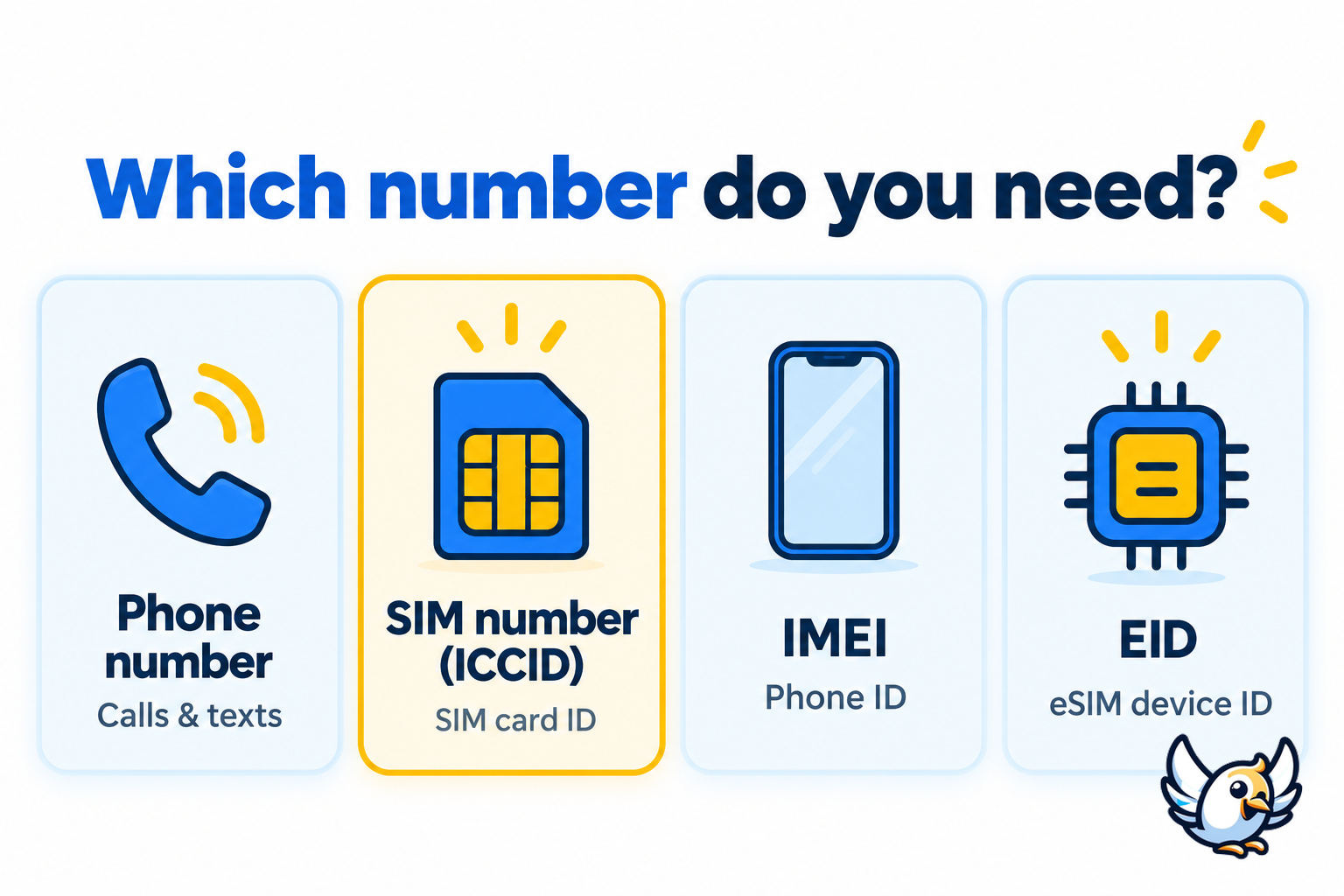
⚠️ Do not automatically submit the IMEI when a carrier asks for the SIM number. The IMEI belongs to the phone; the ICCID belongs to the SIM profile.
How to find the SIM number on an iPhone
Apple displays the ICCID in the device information screen. This method works without removing the SIM tray and can also show identifiers related to an eSIM.
- Open Settings.
- Tap General.
- Tap About.
- Scroll until you see ICCID.
- Press and hold the number if you want to copy it.
If your iPhone uses two lines, review the information for the correct cellular plan. Each active SIM or eSIM profile can have its own ICCID.
Apple’s official guide also explains where to locate the ICCID, EID, IMEI, and other identifiers on different Apple devices: find the serial number and mobile identifiers on an iPhone.
How to find the SIM number on Android
Android menu names are less consistent because manufacturers customize the Settings app. Start with the route below, then use the Settings search bar if an option is missing.
- Open Settings.
- Tap About phone or About device.
- Open SIM status, Status information, or a similarly named menu.
- Look for ICCID, SIM card number, or SIM serial number.
On some Samsung phones, the route may pass through About phone → Status information → SIM card status. Samsung’s official support page provides additional guidance for locating mobile device identifiers: locate identifiers on a Samsung Galaxy device.
💡 Type ICCID, SIM, or status into the Settings search field. This is often faster than navigating menus that changed after a software update.

Other ways to find an ICCID
If the number does not appear in Settings, you still have several reliable options. Use the method that is easiest without risking damage to the phone or SIM.
- Check the physical SIM: the ICCID may be printed in tiny digits on the card itself.
- Inspect the original SIM holder: the larger plastic card or activation pack often carries the serial number and barcode.
- Sign in to your carrier account: look under line details, device details, SIM management, or activation.
- Open the carrier’s app: some networks display the SIM identifier beside the active line.
- Contact support: the carrier can help identify the correct SIM after verifying the account owner.
Before removing a physical SIM, switch the phone off if the manufacturer recommends it. Use the correct eject tool, keep the card dry, and avoid touching its metal contacts.
How to find the number for an eSIM
An eSIM has no removable plastic card, but its downloaded profile still has an ICCID. Find it in the same cellular or device information area used for a physical SIM. Your carrier’s app, activation email, or customer portal may also show the profile details.
Do not confuse the ICCID with the EID. The ICCID identifies one installed mobile plan. The EID identifies the eSIM-capable hardware that can store and manage profiles. A carrier may request either identifier during activation, so copy the label and number together.
For a broader explanation of what a digital plan can and cannot include, read our guide to choosing between a virtual phone number and an eSIM.
How to recognize the correct number
An ICCID is a long numeric identifier, often beginning with 89. It is much longer than a normal mobile number and may be grouped with spaces on packaging. When entering it online, copy the digits exactly and follow the form’s instructions about spaces.
Your phone number looks like a normal national or international telephone number. An IMEI is also a long number, but it identifies the handset rather than the service profile. The label beside the number matters more than its appearance.
⚠️ Dialing *#06# often displays the IMEI and may show an EID, but it does not reliably provide the ICCID on every phone. Use the Settings screen, SIM packaging, or carrier account when the request specifically says “ICCID” or “SIM serial number.”
What to do if the SIM number is missing
A missing ICCID does not necessarily mean the SIM is damaged. The profile may be inactive, the phone may not expose that field, or the relevant line may be switched off.
- Confirm that you selected the correct line on a dual-SIM phone.
- Restart the phone and reopen the SIM status screen.
- Check whether the SIM is detected and has a mobile network connection.
- Look in the carrier app or online account instead of relying only on Settings.
- For an eSIM, review the original activation email or QR-code documentation.
- Contact the carrier if the SIM is locked, inactive, or linked to the wrong account.
If the phone requests a security code after repeated failed PIN attempts, you need a PUK, not the ICCID. Follow our guide to finding a PUK code and unlocking a SIM before trying more guesses.
If you actually need your phone number
If “SIM number” means the mobile number people use to call you, look for My Number, Phone number, or Mobile number in your phone’s cellular settings. You can also call or text another phone, check your carrier account, or review a recent bill.
Some data-only travel eSIMs do not include a traditional phone number. They provide mobile data while calls and messages continue through internet-based apps or your primary line. This is especially important when choosing an eSIM for digital nomads or maintaining two active lines.
Keep your SIM identifiers private
An ICCID is not a password, but it is still account-related information. Share it only with a trusted carrier, device support team, or verified activation service. Avoid posting screenshots that reveal your ICCID, EID, IMEI, QR code, activation code, or account details.
💡 When asking for help online, crop or blur every identifier. Support staff usually need the last few digits first, not a public image of the complete number.
Quick checklist
- If the request says ICCID, find the SIM serial number.
- If it says mobile number, provide the number used for calls and texts.
- If it says IMEI, provide the phone’s hardware identifier.
- If it says EID, provide the eSIM hardware identifier.
- Copy the number directly when possible and verify the final digits before submitting it.
FAQ
Is the SIM number the same as the phone number?
Not usually. In technical or carrier support contexts, the SIM number normally means the ICCID, which identifies the SIM profile. Your phone number identifies the mobile line used for calls and texts.
Can I find my SIM number without removing the SIM card?
Yes. On iPhone, check Settings → General → About. On Android, check Settings → About phone → SIM status or search Settings for “ICCID.” Your carrier account may also show it.
Is the ICCID printed on the SIM card?
Often, yes. It may appear as a long line of tiny digits on the SIM or its original plastic holder. If it is too small or worn away, use your phone settings or carrier account.
Does an eSIM have a SIM number?
Yes. Each eSIM profile has an ICCID even though there is no removable card. You can usually find it in the device’s cellular information or in the carrier’s activation details.
Why can’t I see my SIM number in Android settings?
The menu differs by manufacturer, carrier, and Android version. Search Settings for “ICCID” or “SIM status.” If the field is absent, inspect the SIM packaging, open the carrier app, or contact the carrier.

Passionate about travel and tech, I have combined these two worlds to help travelers understand the numerous options to get Internet access abroad and identify the best option for them. As a software development engineer, I put my skills at the service of simple, practical and transparent content. My goal is to give you all the keys to stay connected easily and at the best price during your trips. 🌍📲